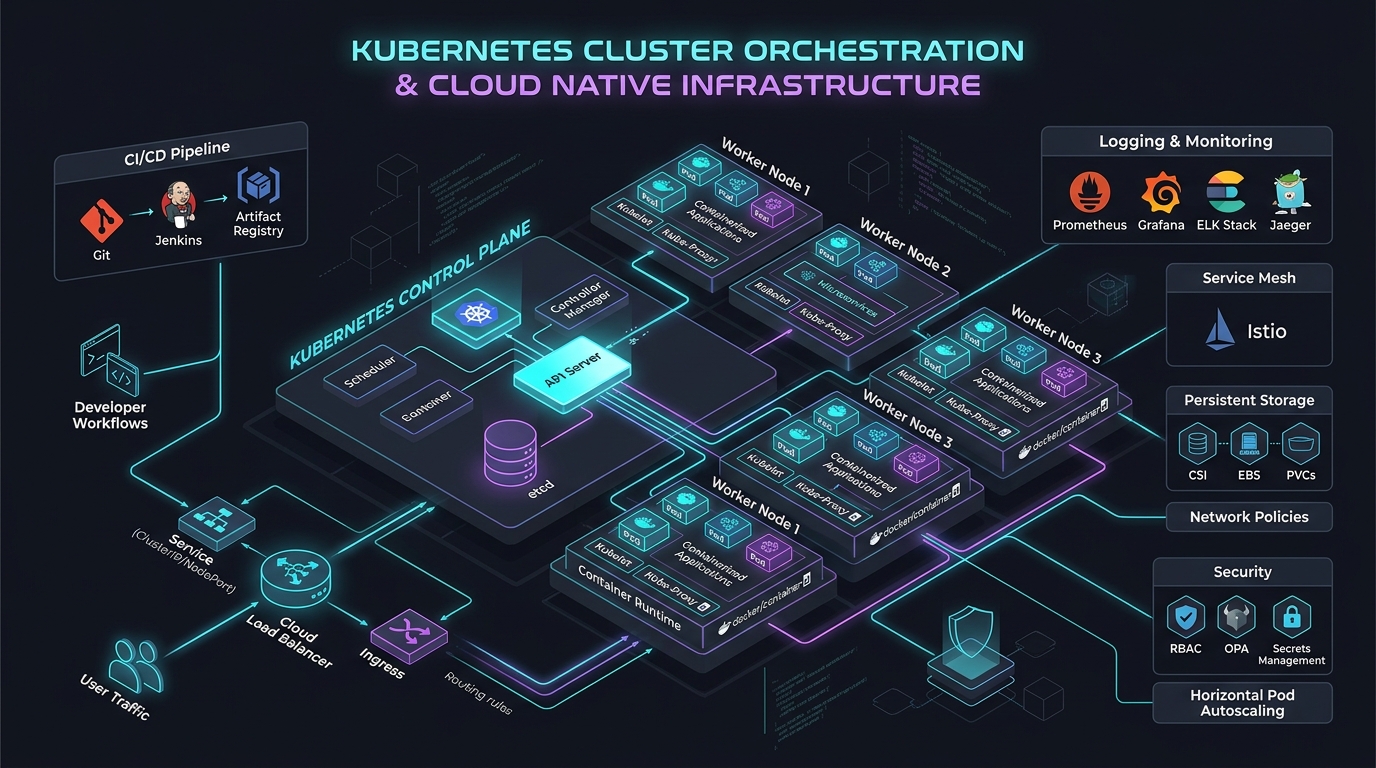
AWS EKS vs ECS: Architecture, Real Costs & 2026 Guide
Answer-First: Choosing between AWS ECS and EKS depends on operational scale and ecosystem requirements. ECS eliminates control plane fees ($0/month) and management toil, making it ideal for standard web microservices. EKS justifies its $72/month control plane fee and operational complexity when workloads require Karpenter sub-45s node autoscaling, CNCF GitOps operators (ArgoCD), and multi-cloud portability.
Prerequisite: Readers should possess working knowledge of Docker containerization, AWS cloud networking (VPC subnets, route tables, security groups), and basic container orchestration concepts (task definitions, pod specs, autoscaling).
| Feature | AWS ECS (Elastic Container Service) | AWS EKS (Elastic Kubernetes Service) |
|---|---|---|
| Control Plane Cost | $0 (Free) | $73/month (~$876/year) |
| Scalability | Good (ASG-based) | Excellent (Karpenter ~45s provisioning) |
| Complexity | Low (AWS-native) | High (Requires Kubernetes expertise) |
I’ve run both in production. At Vigo Retail, I led the migration to Go microservices on EKS handling millions of requests/month. I’ve also managed ECS clusters for smaller AWS-native projects. This guide is what I wish existed before I made those decisions.
1. TL;DR — Quick Decision Table
| Decision Factor | Choose ECS | Choose EKS |
|---|---|---|
| Control plane cost | $0/month ✅ | $73/month (~$876/year) |
| Setup time | Minutes | Hours–days |
| Kubernetes expertise required | No | Yes (significant) |
| GitOps with ArgoCD | ❌ Not native | ✅ First-class |
| Dapr sidecar auto-injection | ❌ Manual only | ✅ Operator-managed |
| KEDA event-driven autoscaling | ❌ Not available | ✅ CNCF graduated |
| Multi-cloud / portability | ❌ AWS-only | ✅ Any Kubernetes cluster |
| Karpenter fast autoscaling | ❌ ASG-based only | ✅ 45–60s provisioning |
| App Mesh (EOL Sept 30, 2026) | → Service Connect | → VPC Lattice or Istio |
| Team ops overhead | ~0.1 FTE | 0.5–2 FTE |
| Best for | Startups, small teams, AWS-native stacks | Enterprise, CNCF ecosystem, Go/K8s shops |
2. What Are ECS and EKS? Core Architecture
2.1 Amazon ECS — AWS-Native Container Orchestration
ECS launched in 2014 before Kubernetes existed. AWS designed it to be opinionated and simple.
The core primitives are straightforward:
- Task Definition — your “recipe”: container images, CPU, memory, env vars, IAM role, network mode
- Service — runs N copies of a Task, integrates with ALB, handles rolling updates
- Cluster — the logical boundary; maps to a VPC + EC2/Fargate capacity
There is no control plane fee. AWS manages the orchestration layer completely. You pay only for what you run.
The architecture diagram below illustrates the core ECS components:
graph TD
    subgraph "ECS Architecture"
        TD["Task Definition\n(images, CPU, memory, IAM role)"]
        SVC["ECS Service\n(desired count, auto-scaling)"]
        CLU["ECS Cluster\n(EC2 or Fargate capacity)"]
        ALB["Application Load Balancer"]
        CW["CloudWatch\n(metrics, logs)"]

        TD --> SVC
        SVC --> CLU
        ALB --> SVC
        SVC --> CW
    end
Key constraint most people miss: ECS Task Definitions have a hard limit of 10 containers per task. If you run sidecar-heavy patterns (app + Dapr + Envoy + log agent + metrics agent), you can hit this fast.
2.2 Amazon EKS — Managed Kubernetes on AWS
EKS gives you a fully-managed Kubernetes control plane (API server, etcd, scheduler, controllers) — you manage the worker nodes (or use Fargate/Auto Mode).
EKS architecture:
graph TD
    subgraph "EKS Architecture"
        CP["EKS Control Plane\n(AWS-managed: API server, etcd)\n$0.10/hr = $73/month"]
        NG["Node Group\n(EC2 or Fargate)"]
        POD["Pods\n(your containers)"]
        HELM["Helm / Kustomize"]
        ARGO["ArgoCD\n(GitOps controller)"]
        KARP["Karpenter\n(node autoscaler)"]
        ALB2["AWS Load Balancer Controller\n(ALB/NLB via annotations)"]

        CP --> NG
        NG --> POD
        ARGO --> CP
        HELM --> CP
        KARP --> NG
        ALB2 --> CP
    end
Every Kubernetes tool you’ve heard of works here: Helm, ArgoCD, Argo Rollouts, Dapr, Karpenter, KEDA, Istio, Linkerd, Prometheus, Grafana, OpenTelemetry Operator.
2.3 Architecture Comparison: Control Plane, Data Plane, Launch Types
| Component | ECS | EKS |
|---|---|---|
| Control plane | AWS-managed, $0 | AWS-managed, $0.10/hr ($73/month) |
| Worker nodes | EC2 (capacity provider) or Fargate | EC2 (node groups, Karpenter) or Fargate |
| Networking | awsvpc (ENI per task) or bridge | VPC CNI (ENI per pod) with Prefix Delegation |
| Service discovery | AWS Cloud Map, ECS Service Connect | CoreDNS, K8s Services, Ingress |
| Config management | Task Definitions (JSON/Terraform) | YAML manifests, Helm, Kustomize |
| Add-on lifecycle | Managed by AWS | Self-managed or EKS Managed Add-ons |
| IAM for workloads | Task IAM Role (simple) | EKS Pod Identity (modern) / IRSA (legacy) |
AWS EKS vs ECS Pricing Reality: Total Cost of Ownership Breakdown
3.1 Control Plane Cost: ECS $0 vs EKS $73/month
This is the only hard-dollar advantage ECS has over EKS at the control plane level:
| ECS | EKS Standard | EKS Extended Support | |
|---|---|---|---|
| Control plane fee | $0/month | $73/month (~$0.10/hr) | $438/month (~$0.60/hr) |
| Per year | $0 | $876 | $5,256 |
| 3 clusters | $0 | $2,628/year | $15,768/year |
Source: aws.amazon.com/eks/pricing, aws.amazon.com/ecs/pricing
The Extended Support trap: EKS Extended Support ($0.60/hr) kicks in when you run a Kubernetes version more than 14 months past its upstream release. This has been in effect since April 2024. Teams that don’t maintain a K8s upgrade cadence silently hit this 6× price jump. At 3 clusters, that’s $15,768/year in control plane fees alone — before compute.
3.2 Compute Costs: EC2 vs Fargate
Both ECS and EKS run on identical compute. EC2 pricing and Fargate pricing are the same regardless of orchestrator:
Fargate pricing (US-East-1):
- vCPU: $0.04048/hour per vCPU
- Memory: $0.004445/hour per GB
Source: aws.amazon.com/fargate/pricing
Fargate limitation (ECS-specific): ECS Fargate forces you into predefined CPU/memory combinations (0.25, 0.5, 1, 2, 4, 8, 16, 32 vCPU — fixed list). You cannot request 1.5 vCPU. This can force over-provisioning by one step.
Cost optimization options (both ECS and EKS):
- Compute Savings Plans: Up to 66% off EC2 and Fargate compute. Control plane fee is NOT covered. (aws.amazon.com/savingsplans)
- Spot Instances: ECS Spot via capacity providers; EKS Spot via Karpenter (intelligent multi-pool selection)
- Graviton ARM: ~20% lower base cost, up to 40% better price-performance. ECS: set
cpuArchitecture: ARM64in Task Definition. EKS: Karpenter auto-selects Graviton. Go compiles to ARM with zero code changes —GOARCH=arm64 GOOS=linux go build. - Fargate Spot + Graviton: Up to 76% savings vs x86 on-demand pricing
3.2.1 Firsthand Production Benchmark: High-Throughput E-Commerce Cost & Sizing Matrix
At Vigo Retail, our Go microservices platform operated across high-traffic baseline loads (millions of requests/month), scaling dynamically during nationwide flash-sale campaigns. The table below compares the empirical sizing, autoscaling behavior, and real AWS infrastructure spend when running this workload on ECS Fargate versus EKS with Karpenter on Graviton EC2 instances:
| Architectural Metric | AWS ECS Fargate (Serverless) | AWS EKS + Karpenter (c6g / c7g Graviton) |
|---|---|---|
| Baseline Compute Sizing | 42 Tasks (1 vCPU, 2GB RAM per task) | 4x c6g.2xlarge (8 vCPU, 16GB RAM) |
| Peak Burst Sizing | 210 Tasks (1 vCPU, 2GB RAM per task) | 18x c6g.2xlarge (Bin-packed via Karpenter) |
| Scale-Out Latency | 45–90s (Task provisioning & ENI attach) | 35–50s (Direct EC2 Fleet launch + image cache) |
| Control Plane Cost | $0.00 / month | $73.00 / month |
| Baseline Monthly Compute | $1,348.60 / month | $486.20 / month (Savings Plans) |
| Peak Burst Compute Cost | $6,743.00 / month (pro-rated) | $2,188.00 / month (70% Spot + 30% On-Demand) |
| P99 API Latency (Peak) | 42ms (GC pauses on small 2GB task) | 16ms (Consolidated memory pool on host) |
| Observability Surcharge | ~$65/mo (CloudWatch Container Insights) | ~$180/mo (High-cardinality OTel DaemonSet) |
| Net Cost Trade-off | Simple, but 3.1x more expensive at scale | Complex ops, but saves >$4,500/month at peak scale |
Key Production Insight: While ECS Fargate eliminates node management toil, its rigid task sizing tiers (e.g., stepping directly from 1 vCPU to 2 vCPU) force severe over-provisioning for memory-light Go microservices. Under prolonged peak loads, EKS with Karpenter dynamic bin-packing on Graviton Spot instances reduced our monthly AWS compute bill by 67.5% while delivering a 2.6x improvement in P99 latency.
3.3 Hidden Costs: NAT Gateway, ALB, Engineering Headcount
These costs hit both ECS and EKS, but EKS can compound them:
| Hidden Cost | Notes |
|---|---|
| NAT Gateway | ~$0.045–0.048/GB data processed. High-traffic clusters with cross-AZ traffic generate significant NAT costs. |
| ALB | ECS: ALB integrates natively. EKS: requires AWS Load Balancer Controller add-on (Helm chart). |
| CloudWatch metrics | EKS OTel Container Insights enriches metrics with 150+ Kubernetes labels → high cardinality → bill shock. ECS Enhanced Container Insights: ~$0.47/metric/month. |
| Engineering headcount | EKS: 0.5–2 FTE platform ops. ECS: ~0.1 FTE. [INFERENCE — industry estimate] |
| K8s version upgrades | EKS: mandatory every ~14 months to avoid Extended Support fee. ECS: zero effort. |
3.4 Real Cluster Cost Example (10 Services, ap-southeast-1)
| Config | ECS (Fargate) | EKS (EC2 + Karpenter) |
|---|---|---|
| Control plane | $0 | $73/month |
| Compute (10 services × 1 vCPU/2GB) | ~$310/month | ~$200/month (bin-packing) |
| ALB | ~$25/month | ~$25/month |
| NAT Gateway | ~$30/month | ~$30/month |
| CloudWatch | ~$20/month | ~$35/month (higher cardinality) |
| Infrastructure total | ~$385/month | ~$363/month |
Illustrative estimates. Actual costs vary by traffic, region, and workload efficiency.
4. Performance & Scalability
4.1 Startup & Scale-Out Speed
This is where EKS (with Karpenter) beats ECS significantly for bursty workloads:
| Autoscaler | Node provisioning time | Architecture |
|---|---|---|
| Karpenter (EKS) | ~45–60 seconds | Direct EC2 Fleet API — no ASG |
| ECS Capacity Provider (EC2) | ~3–5 minutes | Standard EC2 Auto Scaling Group |
| ECS Fargate | ~30–90 seconds | Task-level cold start |
| Cluster Autoscaler (EKS) | ~3–5 minutes | ASG-based — legacy |
Why this matters under flash-sale bursts: At Vigo Retail, traffic spikes during promotions hit peak volume within minutes. A 3-minute node provisioning delay translates directly to queued requests, degraded p99 latency, and potential 5xx errors. Karpenter’s 45-second provisioning kept us within SLA during every burst event.
Pod-level autoscaling:
| ECS | EKS | |
|---|---|---|
| Standard (CPU/Memory) | ECS Application Auto Scaling | HPA (Kubernetes native, 15s poll) |
| Event-driven (queue depth) | ❌ No equivalent | ✅ KEDA (SQS, Kafka, Redis, 70+ scalers) |
| Scale to zero | ✅ Task count = 0 | ✅ KEDA minReplicaCount: 0 |
KEDA is an EKS superpower for background workers. Go SQS consumers scale to zero during off-hours and back up when queue depth rises — without building custom CloudWatch metric pipelines.
4.2 Networking: VPC CNI vs ECS awsvpc
Both ECS (awsvpc mode) and EKS (VPC CNI) assign real VPC IP addresses directly to containers. No NAT, no overlay. Latency is identical to EC2 instance networking.
EKS VPC CNI Prefix Delegation advantage at scale: Allocates /28 IPv4 blocks (16 IPs) per ENI attachment. Dramatically reduces EC2 API calls during pod scale-out — critical for large clusters scaling rapidly under Karpenter.
ECS bridge mode: Technically available but deprecated for production. Adds NAT overhead. Use awsvpc exclusively.
5. Use Cases — When to Choose ECS, When to Choose EKS
5.1 Startup (Speed & Simplicity) → ECS Fargate
ECS Fargate is the fastest path from code to production on AWS.
ECS wins when:
- Your team has no Kubernetes experience
- You need to ship in days, not weeks
- Your architecture is standard HTTP/gRPC services behind an ALB
- You’re fully committed to the AWS ecosystem (CloudWatch, CodeDeploy, IAM)
- You have 1–3 backend engineers
Real ECS Fargate setup timeline:
- Define Task Definition (Terraform
aws_ecs_task_definition) — 30 minutes - Create ECS Service with ALB target group — 20 minutes
- Configure Application Auto Scaling — 15 minutes
- Total: ~65 minutes to production
Compare to EKS: cluster creation + VPC CNI config + ALB Controller (Helm) + CoreDNS tuning + IRSA/Pod Identity + Karpenter NodePool + ArgoCD install. Realistically 4–8 hours for a production-ready cluster.
gRPC on ECS: Fully supported via ALB. Required config: awsvpc network mode + ip target type + ProtocolVersion: GRPC on the target group. Health check path: /grpc.health.v1.Health/Check. For internal service-to-service gRPC, use AWS Cloud Map for discovery.
5.2 Enterprise (Scale, CNCF Ecosystem) → EKS
EKS is the right choice when your organization needs the Kubernetes ecosystem.
EKS wins when:
- You need ArgoCD for GitOps — ArgoCD is Kubernetes-only. It cannot deploy to ECS.
- You run Dapr — on ECS, Dapr requires manual sidecar injection in every Task Definition. On EKS, the Dapr operator handles this automatically across all 21 services.
- You need KEDA for event-driven scaling — no ECS equivalent exists
- You need multi-tenancy at scale — EKS supports Namespace + RBAC + NetworkPolicy isolation; ECS has no namespace concept
- You need multi-cloud or workload portability
According to the CNCF 2024 Annual Survey, 93% of organizations are using, evaluating, or piloting Kubernetes. 92% of the container orchestration market runs on Kubernetes. Choosing ECS in 2025 is a deliberate, informed trade-off — not a lack of awareness.
5.3 Go Microservices on EKS — Firsthand Production Experience
At Vigo Retail, I led the architecture for Go microservices on EKS in ap-southeast-1. The system handled an e-commerce backend for a Korean conglomerate’s Vietnam operations, scaling smoothly across millions of requests/month.
Stack:
- 21 Go services (order management, inventory, loyalty, payment, notifications, and more)
- EKS on EC2 (m6i + m6g Graviton2 nodes — mixed architecture)
- ArgoCD with App-of-Apps pattern (see GitOps at Scale)
- Dapr for pub/sub, state store, service invocation
- Karpenter for node autoscaling
- AWS Load Balancer Controller (ALB for external, NLB for internal gRPC)
- ADOT + AWS X-Ray for distributed tracing
Lesson 1 — Graviton Spot for stateless Go services
We ran all stateless Go services on Graviton Spot instances. Pure-Go binaries compile to ARM64 without code changes:
# Multi-arch build — works on both ECS and EKS
FROM --platform=$BUILDPLATFORM golang:1.23-alpine AS builder
ARG TARGETOS TARGETARCH
RUN GOOS=$TARGETOS GOARCH=$TARGETARCH go build -o /app ./cmd/server
Result: ~35% compute cost reduction on burst capacity.
Lesson 2 — Internal gRPC: NLB passthrough, not ALB
Go gRPC clients do client-side load balancing. Behind ALB, without explicitly setting grpc.WithDefaultServiceConfig("round_robin"), all traffic can funnel to one backend pod. We switched internal service-to-service communication to NLB passthrough + CoreDNS-based discovery. ALB handles only external-facing endpoints.
Lesson 3 — Dapr auto-injection saved 21 manual task definitions
With 21 services, Dapr’s Kubernetes operator auto-injects the sidecar. On ECS, every Dapr version bump requires updating 21 Task Definitions manually. On EKS: update the Dapr Helm chart once. Done.
Lesson 4 — Karpenter consolidation for overnight cost savings
apiVersion: karpenter.sh/v1
kind: NodePool
metadata:
  name: go-services
spec:
  template:
    spec:
      requirements:
        - key: karpenter.sh/capacity-type
          operator: In
          values: ["spot", "on-demand"]
        - key: kubernetes.io/arch
          operator: In
          values: ["amd64", "arm64"]
  disruption:
    consolidationPolicy: WhenEmptyOrUnderutilized
    consolidateAfter: 1m
Karpenter’s consolidation engine killed underutilized nodes automatically. At off-peak hours, the cluster shrank from 8 nodes to 3. Significant overnight compute savings with zero manual intervention.
5.4 Hybrid: ECS + EKS in One Organization
More common than people admit. Typical pattern:
- ECS: Internal tooling, simple CRUD services, batch jobs — teams without K8s expertise
- EKS: Core product microservices, services needing ArgoCD/Dapr/KEDA — platform team-owned
Both clusters share the same VPC. They communicate via VPC peering or PrivateLink. The technical barrier is low; the organizational complexity of maintaining two paradigms is the real cost.
6. EKS Auto Mode (2026): Architecture & Operational Impact
What EKS Auto Mode Automates
- Compute: Node provisioning via managed Karpenter — just submit your pods, nodes appear automatically
- Operating system: Bottlerocket OS, patched and updated by AWS
- Core add-ons: VPC CNI, CoreDNS, kube-proxy, AWS Load Balancer Controller, EBS CSI driver — all managed
What EKS Auto Mode Does NOT Do
- You still write Kubernetes manifests (Deployments, Services, Ingress)
- You still manage RBAC, NetworkPolicies, namespaces, resource quotas
- You still configure application-level Helm charts (ArgoCD, Dapr, KEDA, Prometheus)
- You cannot use custom AMIs — Bottlerocket only
- Added per-instance management fee on top of standard EC2 pricing
My Take
If you’re starting a new EKS cluster today, enable Auto Mode from day one. Don’t fight Karpenter NodePool configuration if AWS will manage it for you. Auto Mode makes EKS significantly more accessible for teams without dedicated platform engineers — but it’s not “ECS simplicity.” It’s “EKS with the hardest part removed.”
7. Operational Overhead & Team Requirements
7.1 ECS: Minimal Ops
What AWS manages:
- Control plane (100%)
- Task placement and orchestration
- ALB integration (native, no controller)
- CloudWatch integration (built-in)
- ECS Service Connect (traffic management, health checks, retry, outlier detection)
What you manage:
- Task Definitions (version-controlled in Terraform/CDK)
- Service scaling policies
- IAM Task Roles (simple — attach role to task definition)
- EC2 Auto Scaling (if using EC2 launch type)
7.2 EKS: Platform Team Investment
| Responsibility | Without Auto Mode | With Auto Mode |
|---|---|---|
| Node lifecycle (AMI patches) | Your team | AWS ✅ |
| K8s version upgrades (~every 14 months) | Your team | Your team |
| Add-on management (VPC CNI, LB Controller) | Your team | AWS ✅ (core add-ons) |
| Application add-ons (ArgoCD, Dapr, KEDA) | Your team | Your team |
| RBAC, NetworkPolicy, namespace structure | Your team | Your team |
| Cost optimization (Karpenter tuning) | Your team | AWS ✅ (managed Karpenter) |
The K8s version upgrade treadmill: EKS versions have a ~14-month window before Extended Support pricing applies. At Vigo Retail, we ran quarterly upgrade sprints — staging cluster upgrade first, then production with blue/green cluster swap. Budget 2–3 engineer-days per cluster per upgrade cycle.
7.3 GitOps on EKS with ArgoCD
The GitOps architecture diagram below illustrates the continuous delivery pipeline for EKS. It highlights how GitHub Actions builds container images while ArgoCD synchronizes manifest changes directly to the Kubernetes cluster without storing cluster credentials in CI:
graph LR
    subgraph "CI"
        DEV["Developer"] -- "git push" --> APP["App Repo"]
        APP -- "GitHub Actions\nbuild + push image" --> ECR["Amazon ECR"]
    end

    subgraph "CD — GitOps"
        ECR -- "updates image tag" --> MAN["Manifest Repo\n(Kustomize overlays)"]
        ARGO["ArgoCD\n(EKS add-on)"] -- "polls every 3min" --> MAN
    end

    subgraph "EKS Cluster"
        ARGO -- "applies diff\nrolling restart" --> K8S["Go Pods"]
    end
No engineer runs kubectl apply in production. No cluster credentials in CI. Rollback = git revert → ArgoCD auto-applies within 3 minutes.
This GitOps pattern is not available for ECS. ECS teams use CodeDeploy (blue/green, linear, canary — all AWS-managed and solid) or GitHub Actions + ecspresso. Both work well; neither is GitOps in the Kubernetes sense.
8. Ecosystem & Tooling
The tooling ecosystem surrounding your container orchestrator determines how teams manage deployments, telemetry, and service discovery. Amazon ECS integrates natively with AWS management services, whereas Amazon EKS unlocks the extensive CNCF open-source ecosystem, enabling advanced GitOps workflows, automated canary rollouts, and standardized sidecar injection patterns.
8.1 ECS: AWS Native Tools
| Tool | ECS Integration |
|---|---|
| CloudWatch Container Insights | ✅ One-click enable |
| AWS X-Ray + ADOT tracing | ✅ Sidecar or Service Extension |
| Application Load Balancer | ✅ Native (no controller needed) |
| CodeDeploy (Blue/Green, Canary) | ✅ Native deployment controller |
| IAM Task Roles | ✅ Simplest workload identity model |
| ECS Service Connect | ✅ Built-in service mesh (health, retry, outlier, observability) |
| AWS App Mesh | ⚠️ EOL September 30, 2026 |
App Mesh EOL is urgent: AWS is discontinuing App Mesh on September 30, 2026. New customers cannot onboard as of September 24, 2024. If you’re using App Mesh on ECS today, migrate to ECS Service Connect. If you’re on EKS, migrate to Amazon VPC Lattice or adopt Istio. Both migration guides are available at aws.amazon.com/blogs/containers.
8.2 EKS: CNCF Ecosystem
| Tool | EKS Support | ECS Support |
|---|---|---|
| ArgoCD (GitOps) | ✅ First-class | ❌ Not supported |
| Argo Rollouts (canary/blue-green with auto-rollback) | ✅ K8s-native | ❌ Not supported |
| Dapr (microservice patterns) | ✅ Auto-injection via operator | ⚠️ Manual sidecar in Task Definition |
| KEDA (event-driven autoscaling) | ✅ CNCF graduated | ❌ No equivalent |
| Karpenter (smart node autoscaling) | ✅ 45–60s provisioning | ❌ ASG-based only |
| Helm (package manager) | ✅ Industry standard | ❌ No equivalent |
| Prometheus + Grafana | ✅ K8s-native metrics scraping | ⚠️ Manual ADOT wiring needed |
| Istio / Linkerd (service mesh) | ✅ Full support | ❌ No K8s CRDs |
| OPA / Kyverno (policy enforcement) | ✅ Admission webhook | ❌ No equivalent |
Deployment strategies:
| Strategy | ECS | EKS |
|---|---|---|
| Rolling update | ✅ Native (default) | ✅ K8s native (maxSurge/maxUnavailable) |
| Blue/Green | ✅ Native (CodeDeploy) | ✅ Argo Rollouts |
| Canary + metric-based auto-rollback | ⚠️ CodeDeploy alarms | ✅ Argo Rollouts + Prometheus SLO |
Argo Rollouts is the 2025 standard for EKS progressive delivery. It replaces Deployment with a Rollout CRD, integrates natively with ArgoCD, and auto-rolls back if your Prometheus error rate exceeds the configured threshold — all declared in git.
9. Security & IAM
Securing containerized applications on AWS requires enforcing granular workload identity policies and isolating pod network communication across tenant boundaries. Both ECS and EKS support native IAM integration, but EKS provides additional zero-trust networking capabilities through Kubernetes NetworkPolicies and cluster-agnostic Pod Identity bindings.
| Feature | ECS | EKS |
|---|---|---|
| Workload identity mechanism | Task IAM Role | EKS Pod Identity (recommended) / IRSA (legacy) |
| OIDC required | ❌ No | ❌ No (Pod Identity); ✅ Yes (IRSA) |
| Multi-cluster IAM management | N/A | Pod Identity: cluster-agnostic role reuse ✅ |
| IRSA scaling limit | N/A | 100 OIDC providers per AWS account |
| Network policy (pod-level) | ❌ VPC Security Groups per task only | ✅ K8s NetworkPolicy (Calico, VPC CNI) |
| Zero-trust workload isolation | Service Group-level | Pod-label-level |
IRSA scaling trap: Legacy IRSA requires a unique OIDC provider per EKS cluster. AWS accounts have a 100 OIDC provider limit. Teams running many clusters hit this wall. EKS Pod Identity (EKS 1.24+) is cluster-agnostic — the same IAM role works across all clusters without trust policy updates.
10. Vendor Lock-in & Portability
Architecting container platforms for multi-cloud readiness or hybrid deployment requires evaluating control plane abstractions and cloud-agnostic API support. Amazon EKS enables direct manifest portability across cloud providers and on-premises hardware via EKS Hybrid Nodes, whereas Amazon ECS binds application definitions strictly to AWS infrastructure constructs.
| Portability dimension | ECS | EKS |
|---|---|---|
| Move to GCP/Azure | ❌ Full rewrite | ✅ Port manifests to GKE/AKS |
| Run on-premises (AWS-managed CP) | ✅ ECS Anywhere | ✅ EKS Hybrid Nodes (GA Dec 2024) |
| Run fully on-premises | ❌ | ✅ EKS Anywhere (self-managed CP) |
| Multi-cloud management | ❌ | ✅ Any K8s-compatible tool |
| Tooling portability | AWS-specific | Any CNCF tool |
EKS Hybrid Nodes (GA since re:Invent December 2024): AWS-managed control plane in the cloud + on-premises worker nodes. The Hybrid Nodes gateway (GA April 2026) automates pod-to-pod routing between cloud and on-prem — eliminating manual BGP/routing configuration. For organizations with on-premises requirements, this is now the preferred path over EKS Anywhere.
11. Final Decision Framework
Selecting the optimal container orchestration strategy requires balancing team maturity, ecosystem requirements, and infrastructure budget. The decision tree diagram below summarizes the primary technical criteria for choosing between AWS ECS and EKS based on deployment velocity, operator experience, and long-term architectural goals:
flowchart TD
    A["Starting a new\ncontainer project?"] --> B{"Need ArgoCD,\nDapr, or KEDA?"}
    B -- "Yes" --> EKS1["→ EKS\n(CNCF ecosystem required)"]
    B -- "No" --> C{"Team has K8s\nexpertise?"}
    C -- "No" --> ECS1["→ ECS Fargate\n(fastest to production)"]
    C -- "Yes" --> D{"Multi-cloud or\non-prem required?"}
    D -- "Yes" --> EKS2["→ EKS\n(portability required)"]
    D -- "No" --> E{"Expected team size\nin 2 years?"}
    E -- "1-5 engineers" --> ECS2["→ ECS\n(low ops overhead)"]
    E -- "5+ or platform team" --> EKS3["→ EKS + Auto Mode\n(invest in ecosystem)"]
| Team Profile | Recommended | Reason |
|---|---|---|
| Early-stage startup (1–5 engineers) | ECS Fargate | Zero control plane cost, ships in ~65 minutes |
| AWS-native enterprise, no K8s need | ECS on EC2 | CodeDeploy B/G, CloudWatch, low FTE overhead |
| Go/CNCF shop, GitOps required | EKS + ArgoCD | ArgoCD K8s-only; Dapr auto-injection; Argo Rollouts |
| Platform engineering team | EKS + Auto Mode | Managed nodes; invest in CNCF ecosystem |
| Multi-cloud or hybrid on-prem | EKS + Hybrid Nodes | AWS-managed CP + portability |
| Event-driven workers (SQS/Kafka) | EKS + KEDA | Scale-to-zero from queue depth |
| Budget-constrained | ECS Fargate Spot + Graviton | No control plane fee; up to 76% compute savings |
Frequently Asked Questions
Is EKS better than ECS for production container orchestration?
What does EKS Auto Mode actually automate in 2026?
What is the real cost difference between ECS Fargate and EKS Fargate?
Can you use ArgoCD GitOps pipelines with AWS ECS?
How does Karpenter on EKS reduce cloud compute spend compared to ECS Auto Scaling?
Closing Thoughts
Choosing between Amazon ECS and Amazon EKS ultimately depends on alignment with organizational capabilities, tooling requirements, and operational capacity. Engineering teams must evaluate whether the simplicity of AWS-native container orchestration outweighs the ecosystem flexibility and declarative GitOps power delivered by a managed Kubernetes control plane.
The EKS vs ECS decision comes down to two questions: What ecosystem tools does your team need? and How much Kubernetes complexity can your team absorb?
If you don’t need ArgoCD, Dapr, KEDA, or Kubernetes Network Policies — and you’re committed to the AWS ecosystem — ECS is the honest, pragmatic choice. It’s not the “lesser” option. It’s a deliberate trade-off that keeps ops overhead minimal and your team focused on product delivery.
If you’re building a platform that needs GitOps, event-driven autoscaling, pod-level network isolation, or multi-cloud portability — EKS is the right foundation. EKS Auto Mode has significantly lowered the operational bar in 2025. But Kubernetes expertise remains the non-negotiable entry ticket.
At Vigo Retail, EKS was the right call. The CNCF ecosystem — ArgoCD + Dapr + Karpenter — gave us capabilities that ECS cannot match. But I’ve watched teams choose EKS because “everyone’s doing Kubernetes” and then spend 3 months fighting the platform instead of shipping features.
Pick the tool that matches your team, not the trend.
Lê Tuấn Anh is a Senior Software Engineer with 17+ years of experience. He led the EKS architecture for Go microservices at Vigo Retail handling millions of requests per month. He also writes about GitOps at Scale with ArgoCD, Kubernetes In-Place Pod Resizing, and Dapr Workflow Saga Orchestration.
From the Tech Radar: The May 13, 2026 Tech Radar covered AgentOps meeting Kubernetes — Signadot’s initiative to run AI agent testing inside live Kubernetes sandboxes. For teams choosing EKS specifically to run agentic workloads, this is the most relevant recent signal on where the K8s + AI convergence is heading operationally.